Profile & Support
Update your profile
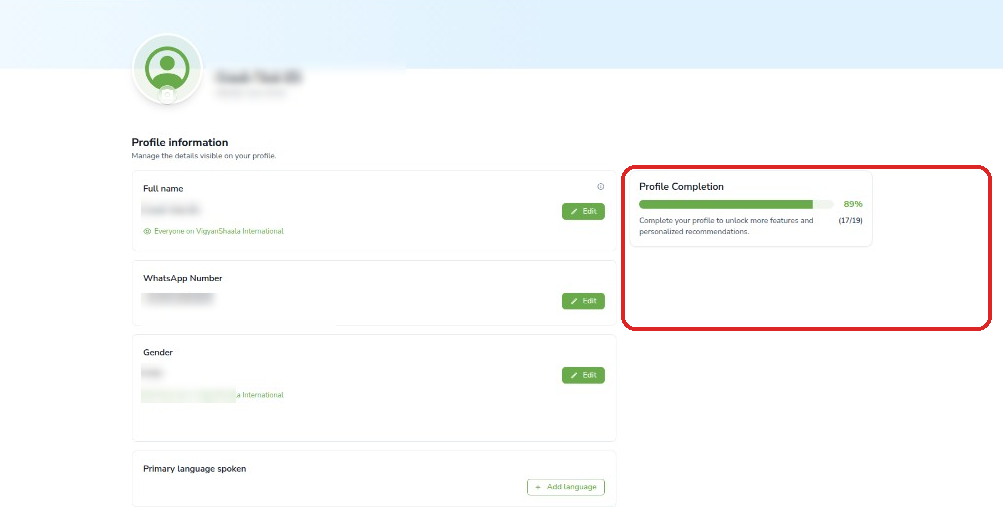
Your Profile is what other people on the platform can see, and it stores your contact details. Filling missing fields raises Profile Completion.
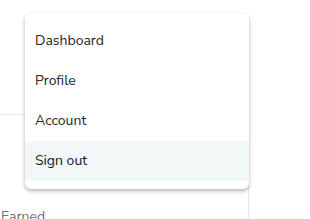
- Click your name (top right) → Profile.
- Use Edit next to each field: name, WhatsApp, gender, language, About Me, social links.
- Fill missing fields to increase Profile Completion.
Change your profile photo
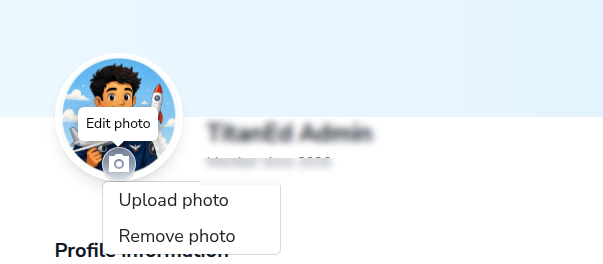
You can add or replace the photo next to your name. Use a clear photo so others can recognise you. You can also remove the photo if you prefer not to show one.
- On Profile, click the camera icon → Upload photo or Remove photo.
Complete your profile details
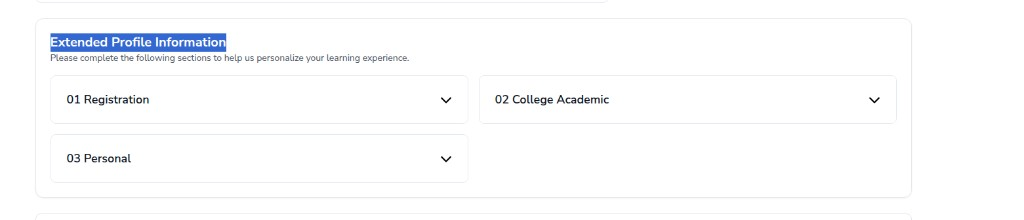
Extended Profile Information is extra detail some programs ask for — for example college or personal information. Complete every section shown for your program. The list of sections can change.
- Scroll to Extended Profile Information and complete each section shown (for example Registration, College Academic, Personal).
- Sections vary by program.
Account settings
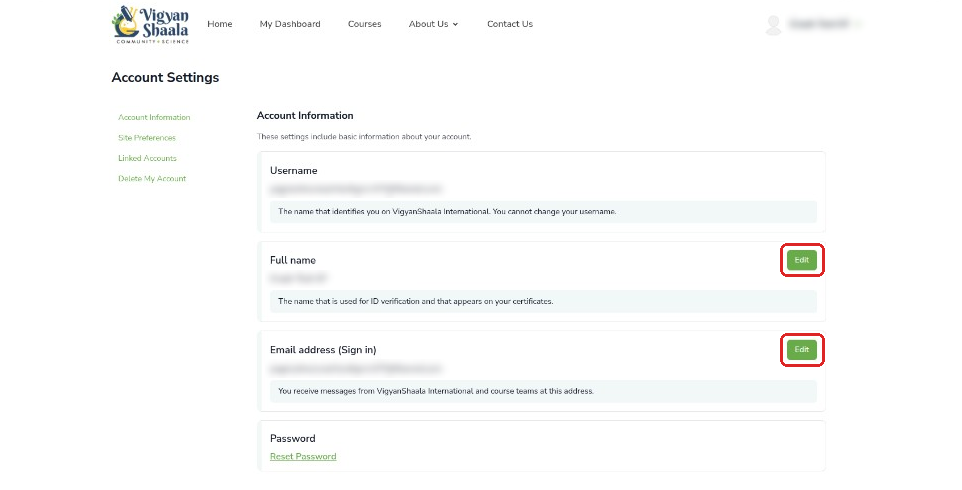
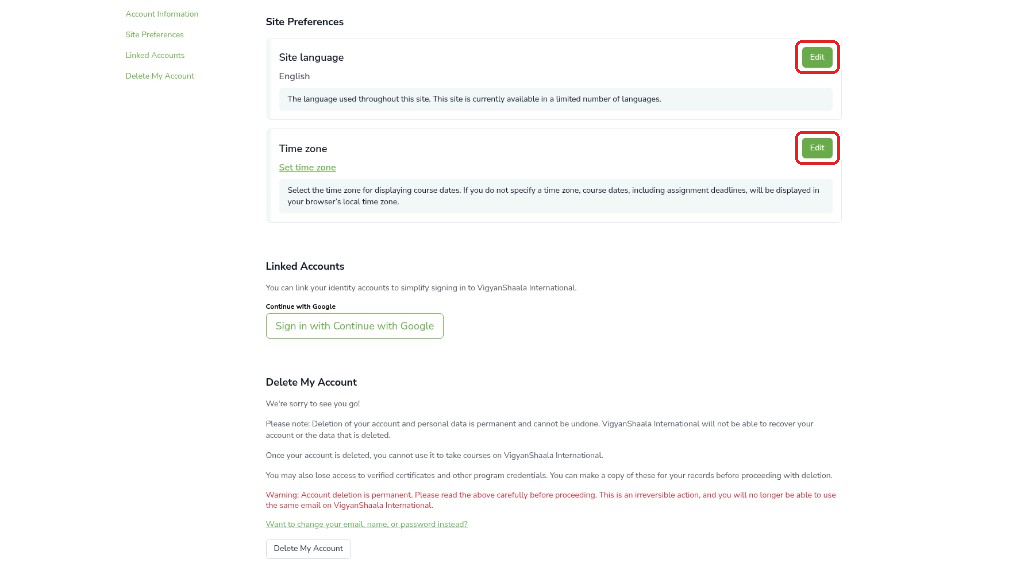
Account is where you change login details, language, and linked Google sign-in. Open it from your name in the top right.
- Click your name → Account.
Link: https://apps.mycommunity.vigyanshaala.com/account/
| Section | What you can do |
|---|---|
| Account Information | Edit name or email; Reset Password |
| Site Preferences | Change language or time zone |
| Linked Accounts | Link Google sign-in |
| Delete My Account | Permanent deletion — see below |
Delete your account
Deleting your account is permanent. You lose programs, progress, and certificates. Download certificates first if you still need them. Prefer Edit or Reset Password if you only need to change details.
- On the Account page, scroll to Delete My Account and read the warning carefully.
- Confirm only if you are sure you will not need this account again.
Contact support
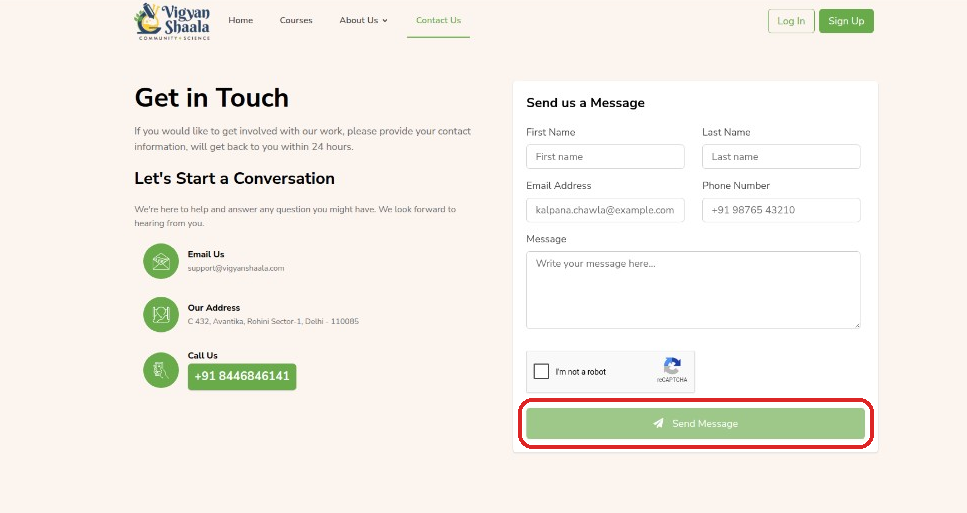
Use Contact Us when something does not work — for example you cannot log in, apply, or see a program. Email or phone if you prefer not to use the form.
- Open Contact Us or email support@vigyanshaala.com / call +91 8446846141.
FAQs and policies
FAQs answer common questions. Privacy Policy and Terms of Service explain how your data is used and the rules for using the site. They are also linked in the site footer.
- Our Vision · Success Stories · Our Supporters · FAQs
- Privacy Policy and Terms of Service are linked in the site footer.
Sign out
Sign out ends your session on this browser. Your account stays active. You can log in again any time with the same email and password (or Google).
- Click your name → Sign out.