Achievements & Certificates
View your achievements
view your achievements my achievements badges certificates earned in progress
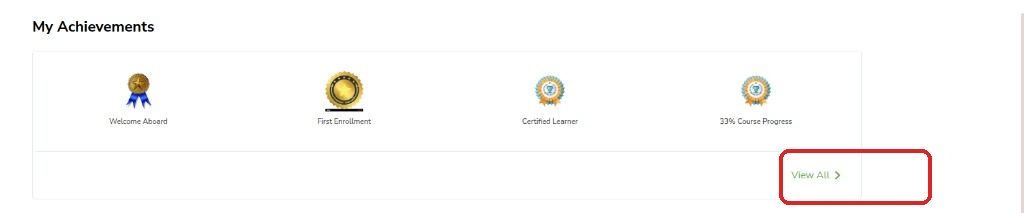
Badges appear automatically as you learn — you do not apply for most of them. Open My Achievements to see what you have earned, what is still in progress, and how many certificates you have.
- On My Dashboard, click View All >.
- Or open the achievements page.
You see earned badges, badges in progress, certificate count, and completed programs.
How badges are earned
how badges are earned welcome first enrollment course progress completion attendance top performer
Most badges are given when you complete an action — such as creating an account, joining a program, or attending a live session. You do not submit a separate request for these.
| When this happens | Badge |
|---|---|
| Create an account | Welcome |
| Join a program | First enrollment |
| Reach progress milestones | Course progress |
| Finish a program | Course completion |
| Rank high on leaderboard | Top performer |
| Attend a live session | Attendance |
Finish a program and get your certificate
finish a program certificate view certificate graduated progress my certificates
A certificate is issued when you finish the required videos, quizzes, and assignments. Check the Progress tab to see what is left. When you are done, the program moves to Graduated.
- Complete required videos, quizzes, and assignments. Check the Progress tab.
- When done, the program moves to Graduated on your Dashboard.
- Click View Certificate on the Graduated tab, or find it under My Certificates on Profile.
- Download or save the certificate so you still have it if you change devices.