App Install & Updates
Install the app
install the app play store stem champions google download android
Install STEM Champions by VigyanShaala from the Google Play Store on your Android phone. You need a Google account on the phone and a stable internet connection for the download.
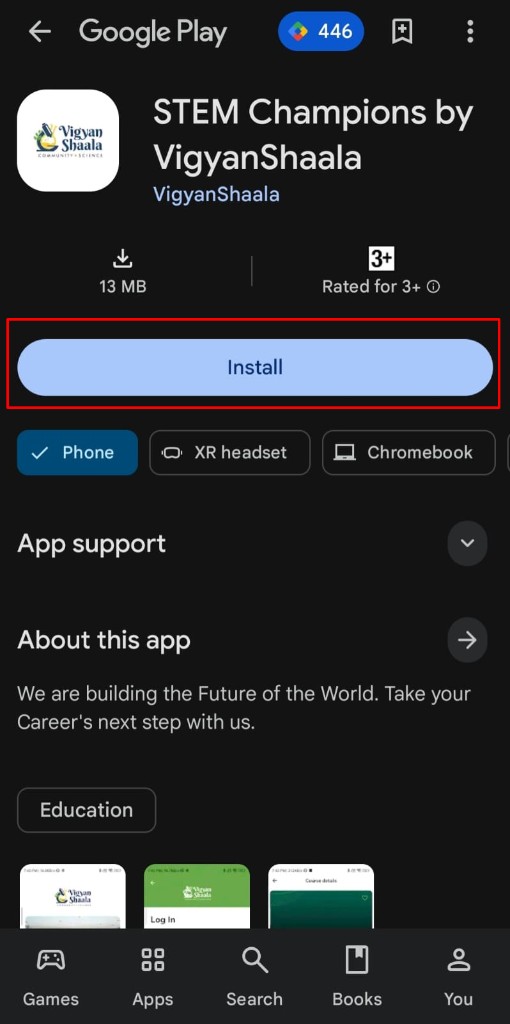
- Open the Play Store page: STEM Champions by VigyanShaala.
- Tap Install.
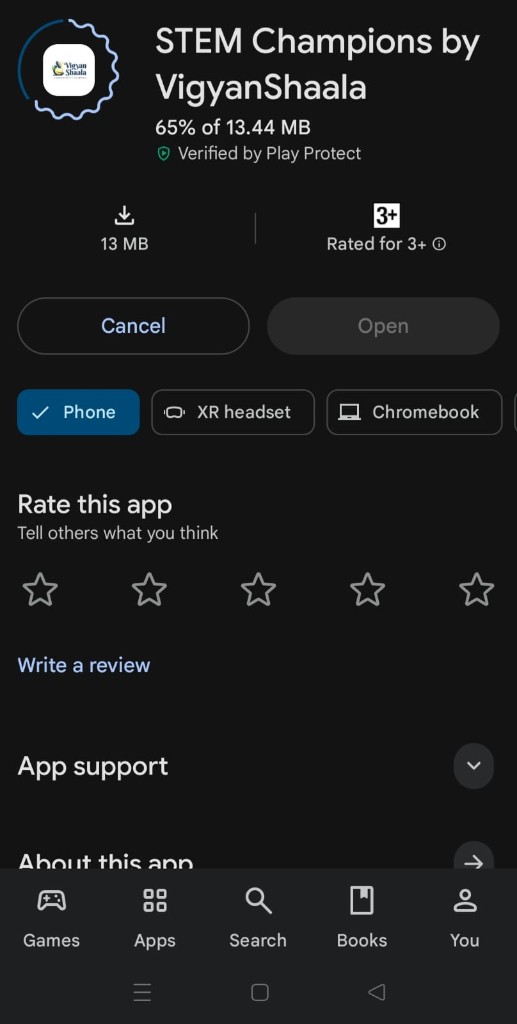
- Wait while the app downloads. You will see a progress percent (for example 65%). Keep a stable internet connection until it finishes.
Open and sign in
open the app sign in log in welcome play store
When install is complete, open the app from Play Store or from your home screen. The welcome screen has Log In and Sign Up. Use the account steps if you need help signing in.
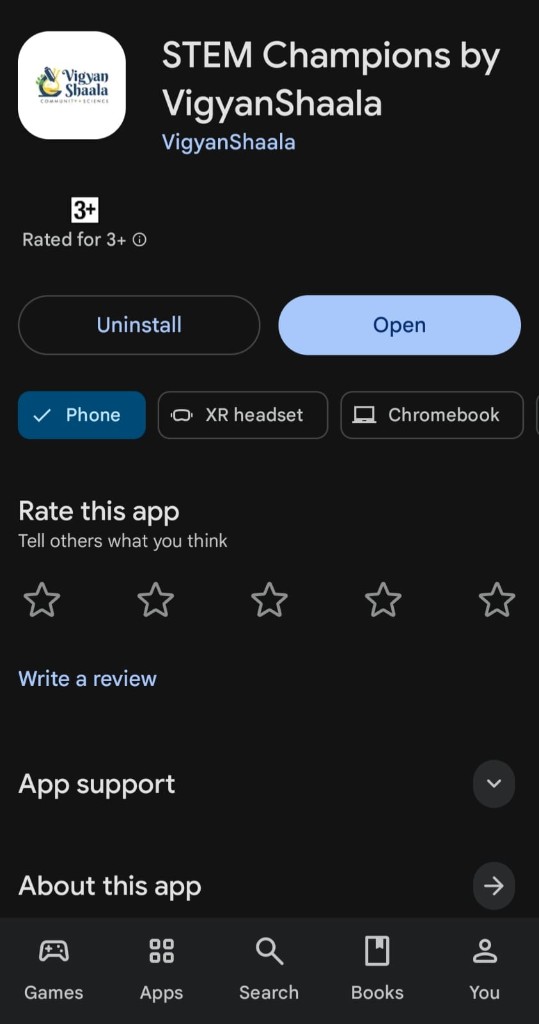
- When install is complete, tap Open.
- On the welcome screen, use Log In or Sign Up.
- See Account & registration for email, Google, or create-account steps.
Update the app
update the app play store new version
Keep the app up to date so you get fixes and new features. When a new version is ready, Play Store may show Update instead of Open.
- When a new version is ready, you may get a Play Store or app notification.
- Open the Play Store page: STEM Champions by VigyanShaala.
- If an update is waiting, tap Update (instead of Open).
- Wait until it finishes, then tap Open.
- If the update fails, free some storage, check your internet, and try again.