My Learning
My Learning overview
After you log in, My Learning is your home screen — your programs, progress, badges, and suggestions. Tap My Learning in the bottom navigation any time.
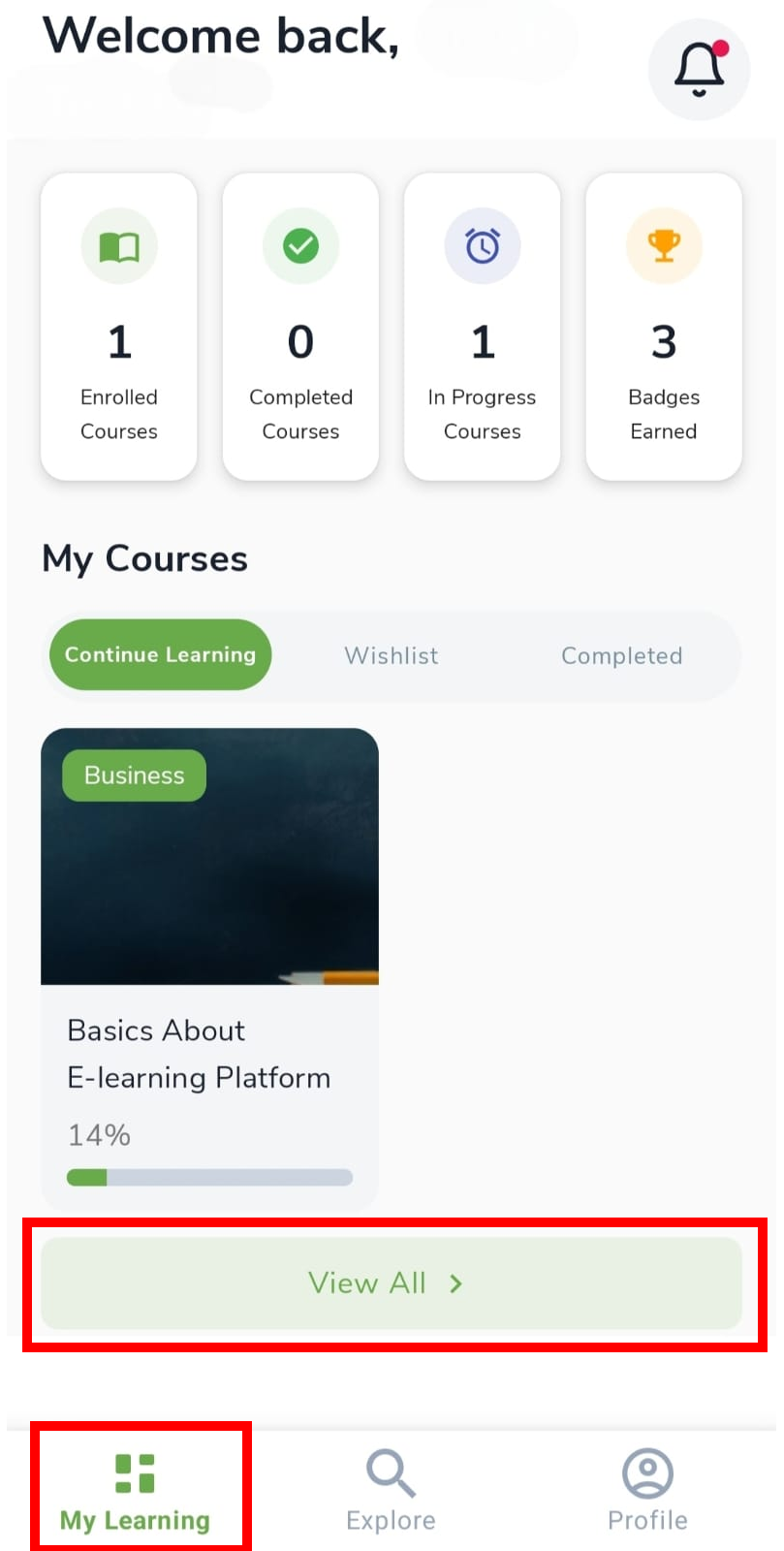
Four summary cards at the top:
| Card | What it means |
|---|---|
| Enrolled Courses | Programs you joined |
| Completed Courses | Programs you finished |
| In Progress Courses | Programs you started but have not finished |
| Badges Earned | Achievement badges |
Programs and courses
In this guide we say program. In the app you may still see Course — both mean the same offering.
My Courses tabs
My Courses groups your programs into tabs. Use Continue Learning for active work, Wishlist for programs you saved with the heart icon, and Completed when you have finished.
| Tab | What you see |
|---|---|
| Continue Learning | Active programs with a progress bar |
| Wishlist | Programs saved with the heart icon |
| Completed | Finished programs |
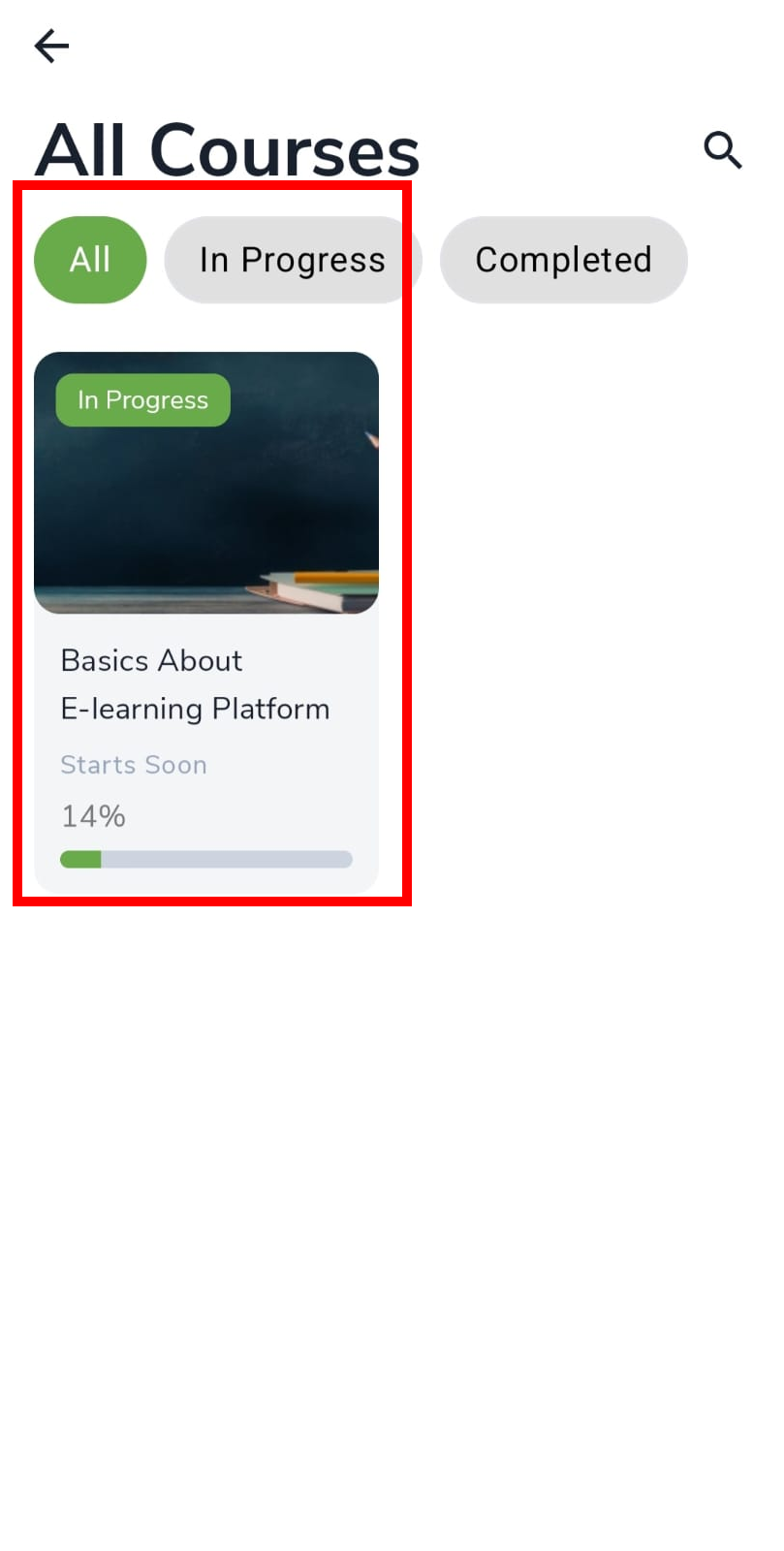
Tap a card to open it. Tap View All > for the full list with All, In Progress, and Completed filters.
Achievements and recommendations
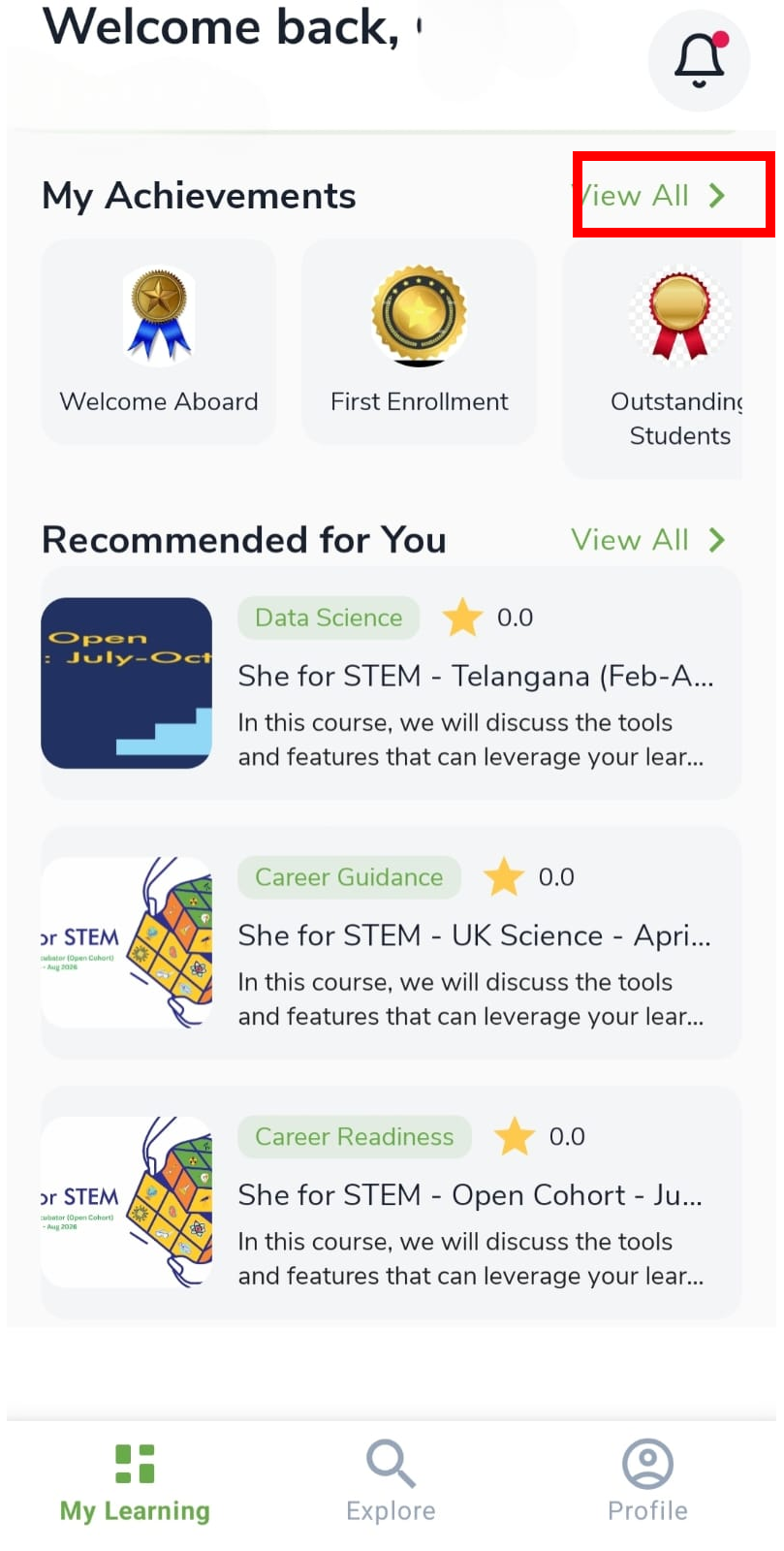
Lower on My Learning you see badges you have earned and programs suggested for you. Open View All > on achievements for the full list. Recommended programs are only suggestions — you still apply if you want to join.
- My Achievements — tap View All > (see Achievements)
- Recommended for You — suggested programs
Notifications
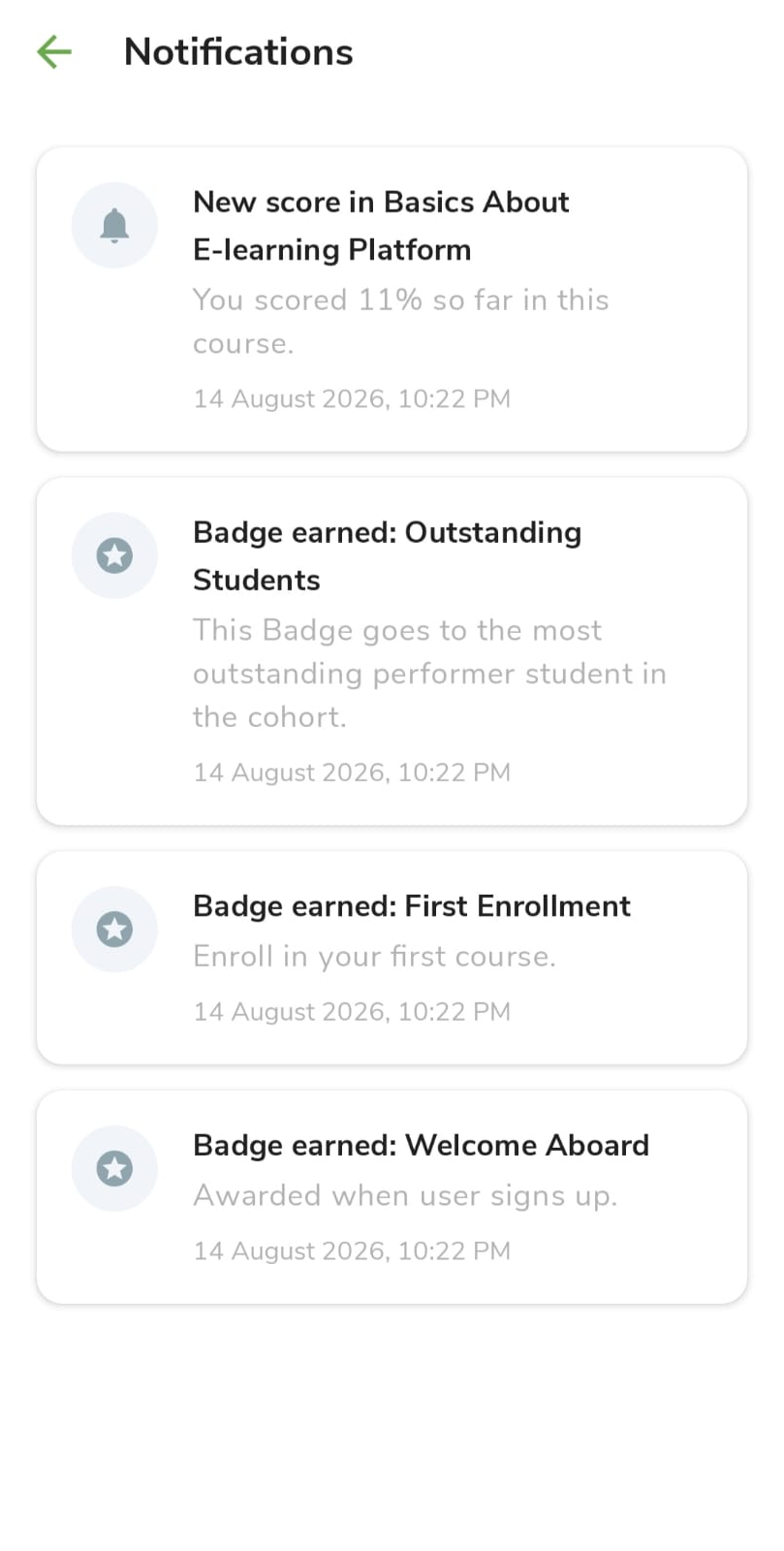
The bell (top right) stores messages about scores, badges, reminders, and program updates. Open it when you want to catch up without leaving My Learning.
- Tap the bell (top right) for scores, badges, reminders, and program updates.
- Tap a notification to open the related program or page when a link is shown.