Explore & Discover Programs
Browse programs
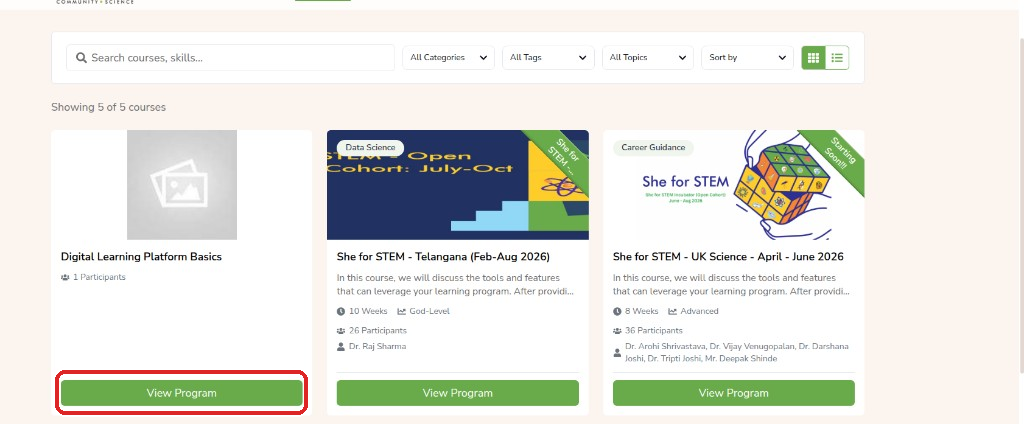
The home page and program list show all programs you can join. Use search and filters to find a topic, then open a card to read more and apply.
- Open https://mycommunity.vigyanshaala.com/ or the program list.
- Use Search, Categories, Tags, Topics, and Sort to find a program.
- Click View Program on a card.
Programs and courses
In this guide we say program. On the site you may still see Course — both mean the same offering.

Read program details
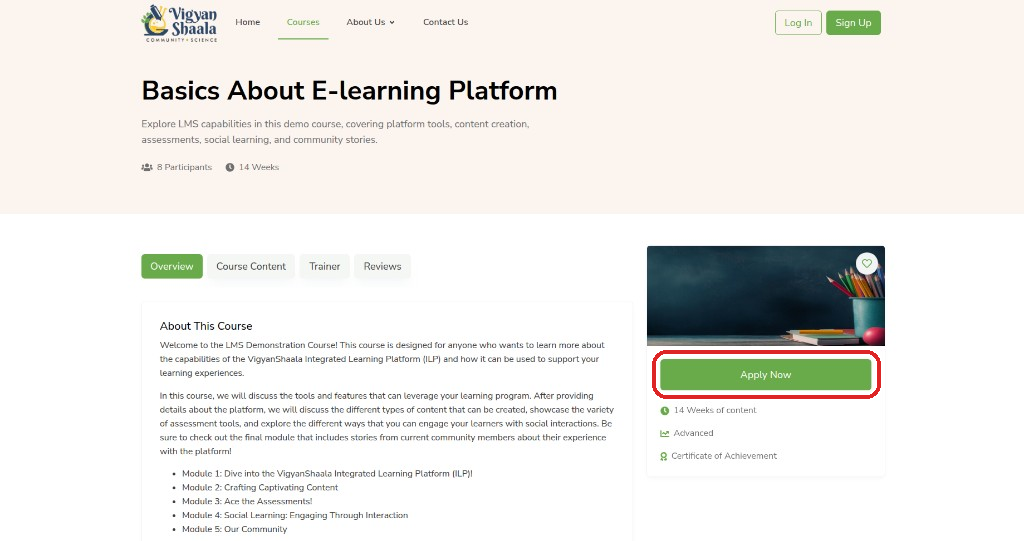
The details page explains what you will learn, who teaches, and what other learners said. Read it before you click Apply Now.
On the details page, use these tabs:
| Tab | What it is for |
|---|---|
| Overview | What the program is about |
| Course Content | Lessons and topics |
| Trainer | Who teaches or mentors |
| Reviews | What other learners said |
- Click the heart to save to your wishlist.
- Click Apply Now when ready — see Apply to a Program.
Save to wishlist
Wishlist is a save list for programs you might join later. Saving does not enroll you — you still need to click Apply Now when you are ready.
- Open a program and click the heart on the right-hand card.
- Find saved programs on My Dashboard → Wishlist tab.
- Click the heart again if you want to remove it from the list.
About Us and Contact
Use these public pages to learn about VigyanShaala or to get help. You do not need to be logged in.
| Page | Link |
|---|---|
| Our Vision | Our Vision |
| Success Stories | Success Stories |
| Our Supporters | Our Supporters |
| FAQs | FAQs |
| Contact Us | Contact Us — email support@vigyanshaala.com or call +91 8446846141 |