Apply to a Program
Apply now
Apply Now is how you join a program from its details page. Read the overview first. You may be asked to log in or sign up. After you apply, the program appears on My Dashboard.
- Open the program (browse programs).
- Read Overview, Course Content, Trainer, and Reviews.
- Click Apply Now on the right.
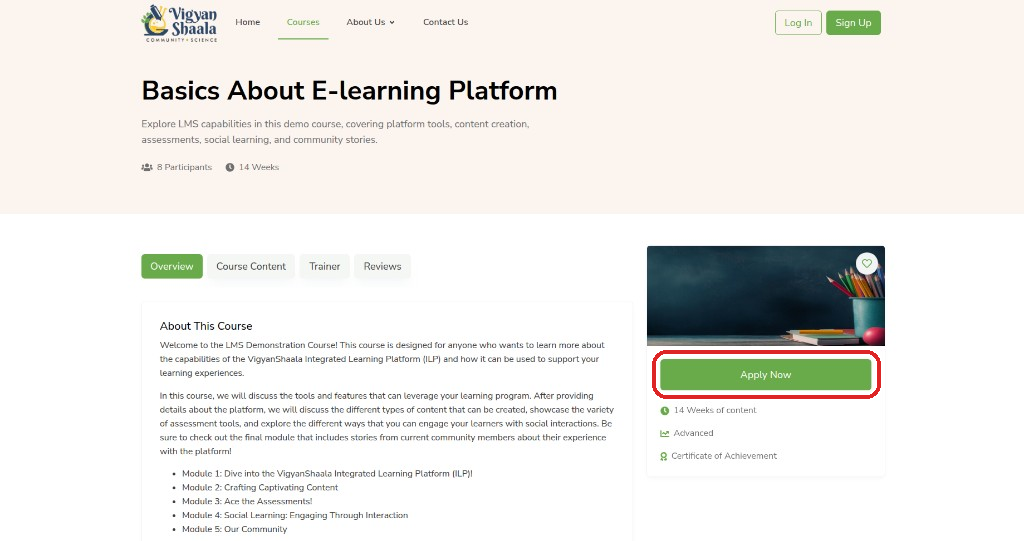
- Log in or sign up if asked.
- On some programs, a Register with a QR code/link form opens — see Register with a QR code/link.
- You are taken to My Dashboard or into the program.
Programs and courses
In this guide we say program. On the site you may still see Course — both mean the same offering. The button to join is Apply Now.
Register with a QR code/link
qr qrcode qr-code scan cohort enrollment
Your teacher shares a QR code or a link. Scanning or opening it starts a registration form. If you are new, this can create your account and enroll you. If you already have an account, sign in first, then submit the form.
Your teacher shows a QR code. Scan it with your phone to open the Cohort Management Form.
| When | What happens |
|---|---|
| You are new | Scan and fill the form — this can create your account and enroll you |
| You already have an account | Scan the QR code or click Apply Now, sign in if asked, then submit |
- Step 1: Scan the QR code and open the registration form.
- Step 2: Fill the required details and move to the next step.
- Step 3: Complete the final section and click Submit Registration.
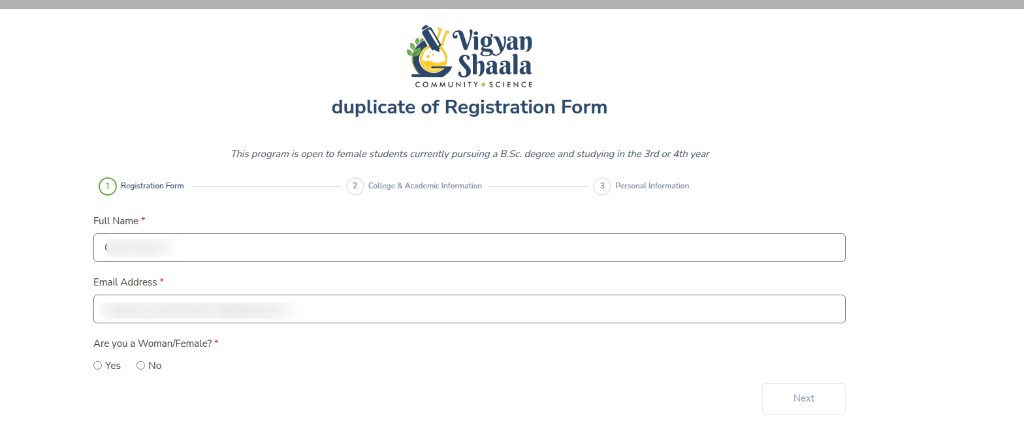
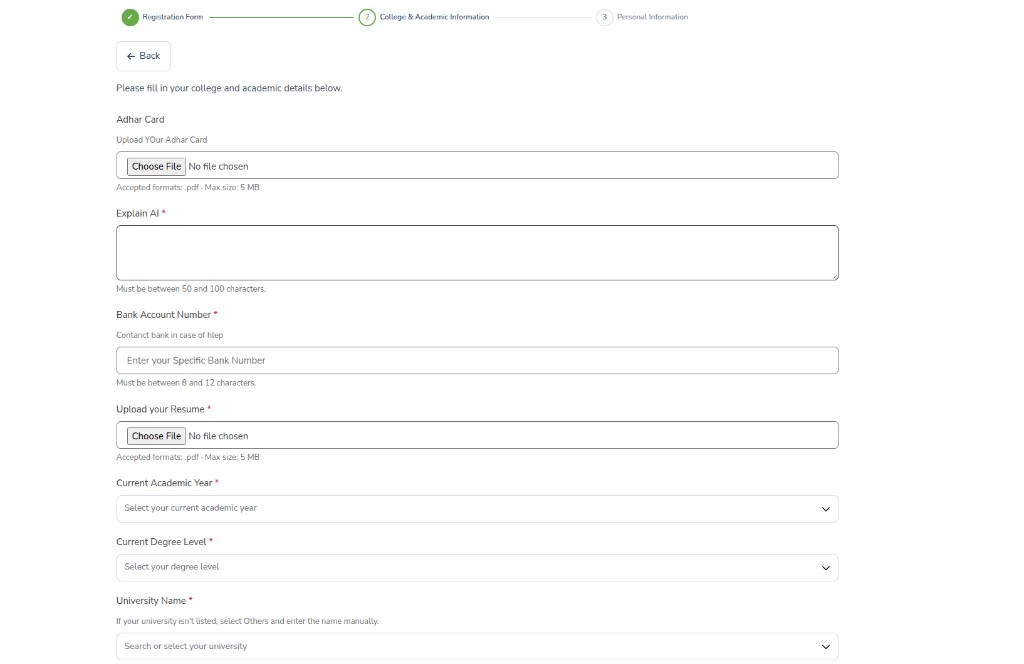
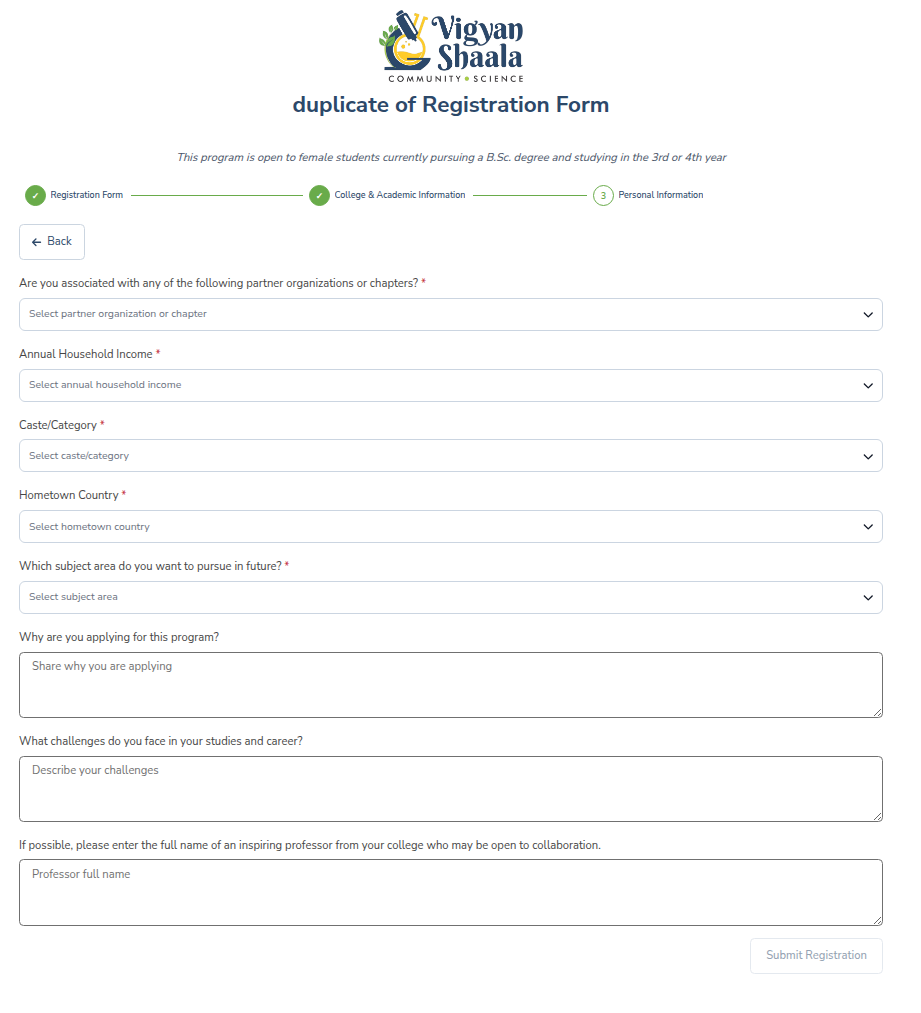
After you submit, you are redirected to My Dashboard. The program appears in your enrolled list once enrollment is confirmed.
Fields can change
Teachers can change the questions. Complete every required field shown for your program.
Join with a registration code
Sometimes a teacher sends you a link or code instead of a QR code. Open that link, confirm you want to join, then find the program on your dashboard.
- Open the link your teacher sent you, read the details, and confirm to join.
- Find the program on your Dashboard under In Progress.
Already joined — open the program
If you already applied, the details page shows View Course instead of Apply Now. Use that button to go straight into the program.
- Open the program details page and click View Course (instead of Apply Now).
- See Inside a Program.
If you cannot join
Some programs cannot be joined right now. The page shows a message. Use the table below to see what to do next.
| Message | What to do |
|---|---|
| Course is full | Contact Us |
| Enrollment closed | Watch for a later offering |
| Invitation only | Ask your teacher |
| Prerequisite required | Complete the required program first |