Apply to a Program
Apply now
Apply Now (or Enroll) is how you join a program from its details screen. Read the overview first. You may be asked to log in or create an account. After you apply, the program appears on My Learning.
- Open the program (browse on Explore).
- Read Overview, Curriculum, Instructor, and Review.
- Tap Apply Now or Enroll.
- Log in or create an account if asked.
- On some programs, a Register with a QR code/link form opens — see Register with a QR code/link.
Programs and courses
In this guide we say program. In the app you may still see Course — both mean the same offering.
Register with a QR code/link
qr qrcode qr-code scan cohort enrollment
Your teacher shares a QR code or a link. Scanning or opening it starts a registration form. If you are new, this can create your account and enroll you. If you already have an account, sign in first, then submit the form.
- Scan the QR code or open the link your teacher shared.
- Fill every required field, tap Next, then submit.
- Wait for confirmation — you may join straight away, or a teacher may need to approve you first.
- Then log in. The program appears on My Learning.
See the form screens and extra notes in Account & registration — Register with a QR code/link.
Join with a registration code
Sometimes a teacher sends you a link or code instead of a QR code. Open that link, confirm you want to join, then find the program on My Learning.
- Open the link your teacher sent you, read the details, and confirm to join.
- Find the program on My Learning under Continue Learning.
Already joined — open the program
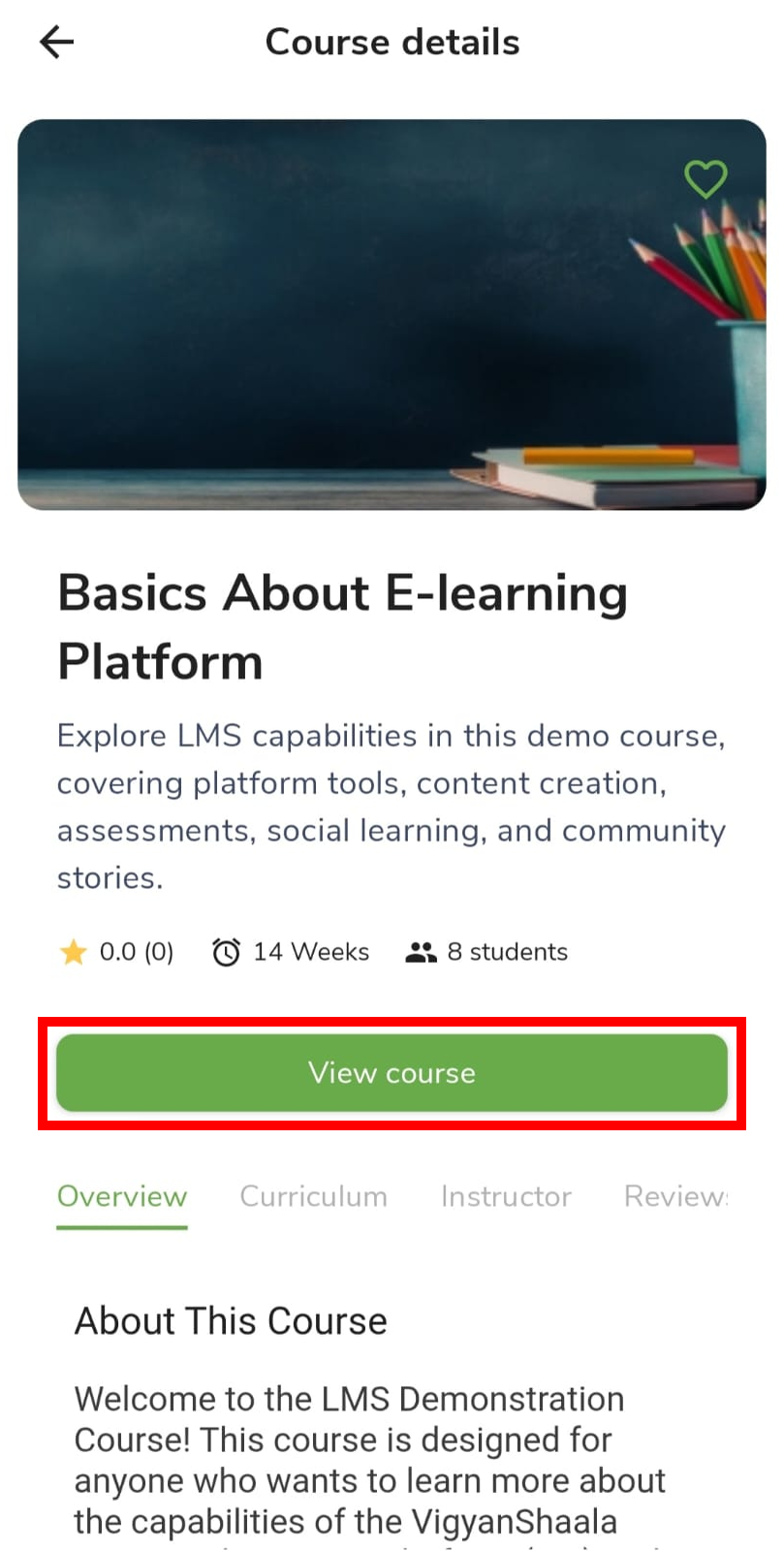
If you already applied, the details screen shows View course instead of Apply Now. Use that button to go straight into the program.
- Open the program details and tap View course (instead of Apply Now).
- See Inside a Program.
If you cannot join
Some programs cannot be joined right now. The screen shows a message. Use the table below to see what to do next.
| Message | What to do |
|---|---|
| Course is full | Ask your teacher or use Help & Support in the app |
| Enrollment closed | Watch for a later offering |
| Invitation only | Ask your teacher |
| Prerequisite required | Complete the required program first |